The Phomemo D30 review is most relevant to people who want a small, rechargeable label maker for organizing supplies, containers, files, or products.
Its phone-based design offers flexible templates and tape choices, with the main tradeoffs being monochrome printing and reliance on a companion app.
Phomemo D30 Review Summary
The quick verdict
4,000+ ratings
Read Amazon ReviewsPhomemo D30
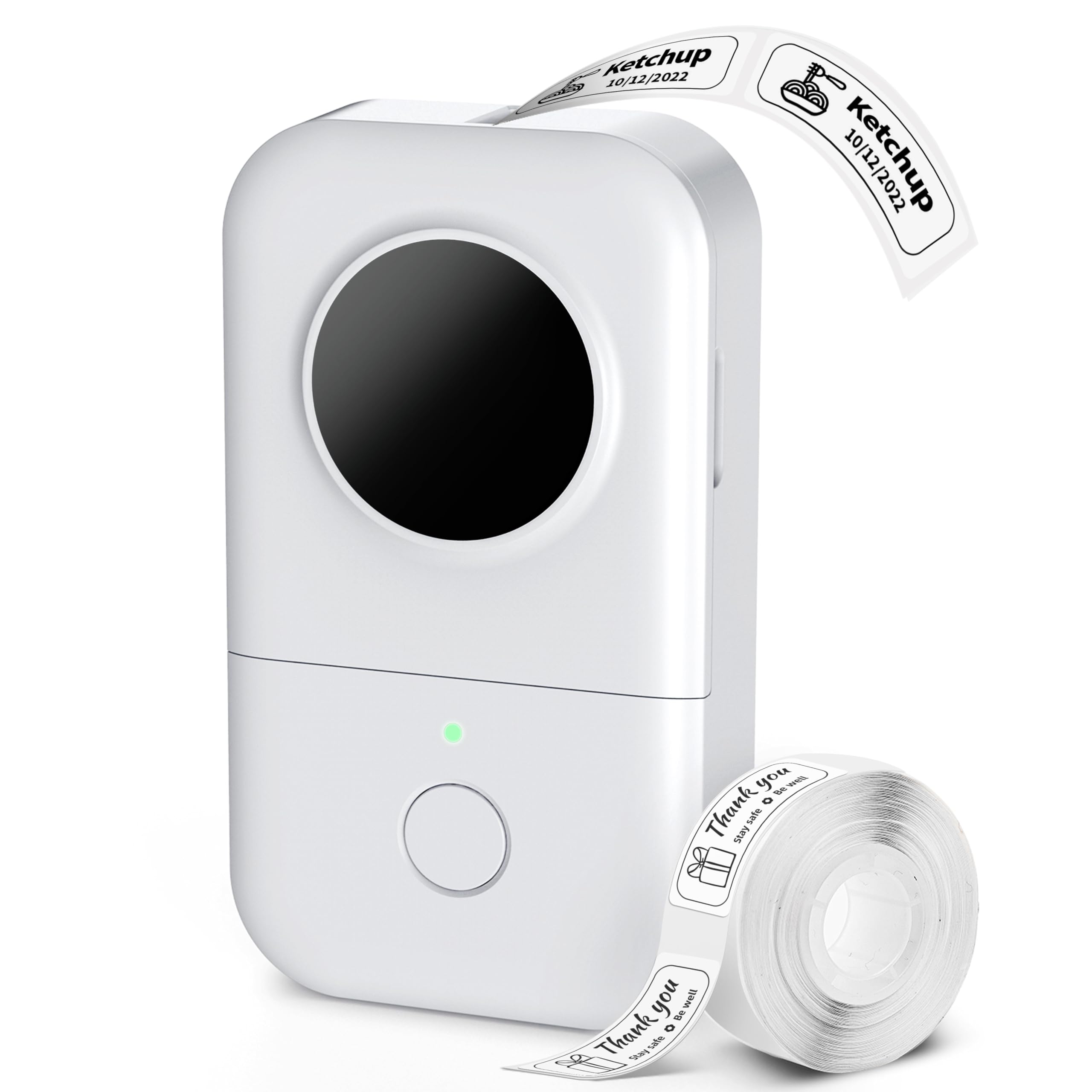
A compact Bluetooth label maker for home, classroom, and small-business users who want customizable labels without ink or toner.
- Compact, 180 g printer designed to fit in a palm or pocket.
- Bluetooth 4.2 connection to the Print Master app on iOS and Android.
- Monochrome thermal printing that requires no ink, toner, or ribbon.
- Compatible with 6–15 mm thermal tapes, including waterproof, transparent, and patterned options.

Pros
- Small, rechargeable format is convenient for moving between labeling tasks.
- Thermal printing avoids the need to replace ink, toner, or ribbon.
Consider before buying
- The printer outputs black text only; patterned tape changes the label’s appearance, not the ink color.
- The 6–15 mm tape range and included short-label roll constrain how much information fits on each label.
Read the full review summary
The D30 pairs a palm-sized printer with an iOS and Android app, letting you design labels with fonts, borders, icons, templates, and tools such as barcode and QR code generation.
Thermal printing avoids ink, toner, and ribbon, while compatible tapes include waterproof, transparent, and patterned options; the printer outputs black text, so color comes from the tape rather than the print itself.
It suits people who expect to make small labels in different settings and value portable operation over a full-size desktop workflow.
The included roll has 80 pre-cut labels sized for short text, while the supported tape range extends from 6 to 15 mm.
Consider how often you will print, whether you can work within that narrow format, and whether using a phone app fits your routine.
The buying factors
Phomemo D30 Scorecard
Editorial scores reflect listed features and buyer fit; they are not laboratory measurements or customer ratings.
Portability
At 180 g and palm-sized, it is designed to travel easily between home, school, and a work area.
Label customization
The app offers a broad selection of fonts, borders, icons, and templates, with optional premium design tools.
Tape flexibility
It supports 6–15 mm tape, including die-cut and continuous formats, with several tape finishes.
Setup and workflow
Bluetooth pairing and app-based design keep the hardware simple, though creating labels depends on using a mobile device.
Power flexibility
A rechargeable battery and USB-C charging support portable use; printing is unavailable while charging.
Print versatility
It can handle varied label designs and codes, but output is monochrome and the narrow tape format favors concise labels.
Key Features and Specifications of Phomemo D30
- Compact, 180 g printer designed to fit in a palm or pocket.
- Bluetooth 4.2 connection to the Print Master app on iOS and Android.
- Monochrome thermal printing that requires no ink, toner, or ribbon.
- Compatible with 6–15 mm thermal tapes, including waterproof, transparent, and patterned options.
- App tools include fonts, borders, icons, templates, Excel batch import, barcode and QR code generation, and OCR scanning.
- Built-in 1200 mAh battery; USB-C charging takes approximately 2–3 hours, and the stated continuous printing time is up to 2 hours.
- Package includes the printer, USB-C cable, quick start guide, and one roll of 80 pre-cut 12 × 40 mm white labels.
Pros and Cons of Phomemo D30
Pros
- Small, rechargeable format is convenient for moving between labeling tasks.
- Thermal printing avoids the need to replace ink, toner, or ribbon.
- A substantial range of app design tools supports labels for different household and work uses.
- Multiple tape widths and finishes allow some flexibility in appearance and application.
Consider before buying
- The printer outputs black text only; patterned tape changes the label’s appearance, not the ink color.
- The 6–15 mm tape range and included short-label roll constrain how much information fits on each label.
- Printing cannot continue while the device is charging, so a depleted battery can interrupt a task.
Who Should Buy Phomemo D30?
Good fit
Consider the D30 if you want a portable way to label pantry containers, files, cables, plant pots, classroom materials, or small products.
The compact body and battery make it easier to carry to a shelf, classroom, or market booth than a fixed desktop printer.
Its app features are useful if you plan to make varied labels rather than repeatedly print one plain line.
Before choosing it, check that your typical label text fits the supported tape widths and that an app-based design process suits you.
The included roll is sized for brief wording, so longer labels may call for a different compatible tape format.
Who should skip it
Look elsewhere if your routine depends on colored printed text, broad labels, or detailed information that will not fit comfortably on 6–15 mm tape.
It may be a poor match for long uninterrupted printing when charging during use is important, since the printer cannot print while connected to charge.
How the Phomemo D30 Fits Everyday Labeling
Small labels, short wording
The D30’s supported tape width is 6–15 mm, and the included 12 × 40 mm pre-cut labels are described as best for one to three words. That points toward names, brief identifiers, and simple organization labels.
If you need to include several details on each label, check the dimensions of the tape you plan to use and whether your intended wording remains legible at that size.
Design options through the app
The Print Master app supports fonts, borders, icons, templates, batch import, barcode and QR code generation, and OCR scanning.
This gives the D30 room to handle more than plain text, but the workflow is centered on a Bluetooth-connected phone. Its design range will matter most to buyers who expect to customize labels or produce batches.
Thermal output and tape appearance
Thermal printing removes ink, toner, and ribbon from the supply routine. The printer produces black text, while transparent, waterproof, or patterned tape changes the material or look of the label.
Buyers who specifically need colored text should treat that distinction as a deciding factor.
Portable use and charging
The built-in 1200 mAh battery is rated for up to two hours of continuous printing, with a stated USB-C charge time of roughly two to three hours.
Since printing is unavailable during charging, it is sensible to start a larger labeling session with sufficient charge. This arrangement favors short, mobile tasks more than a workflow that expects constant plugged-in operation.
Alternatives to Phomemo D30
No alternative model is recommended here. Compare the tape width, printing style, and workflow that matter to your routine before choosing another option.
Is Phomemo D30 Worth It?
The Phomemo D30 is worth considering for buyers who want a compact, app-driven thermal label maker for short labels at home, school, or a small business.
Its portable design, rechargeable battery, and broad set of customization tools make it suited to varied light labeling tasks.
Choose it with clear expectations: labels are narrow, print is black only, and the included roll favors one to three words.
If those limits fit your routine and you are comfortable designing from a phone, the D30 offers a flexible portable setup; buyers who need color text or larger-format labels should consider a different style of printer.
Your review at a glance
4,000+ ratings
Read Amazon ReviewsPhomemo D30
A compact Bluetooth label maker for home, classroom, and small-business users who want customizable labels without ink or toner.
- Compact, 180 g printer designed to fit in a palm or pocket.
- Bluetooth 4.2 connection to the Print Master app on iOS and Android.
- Monochrome thermal printing that requires no ink, toner, or ribbon.
- Compatible with 6–15 mm thermal tapes, including waterproof, transparent, and patterned options.